
SVAR Core for Svelte
Enterprise-grade UI widgets for Svelte with data-heavy components
Overview
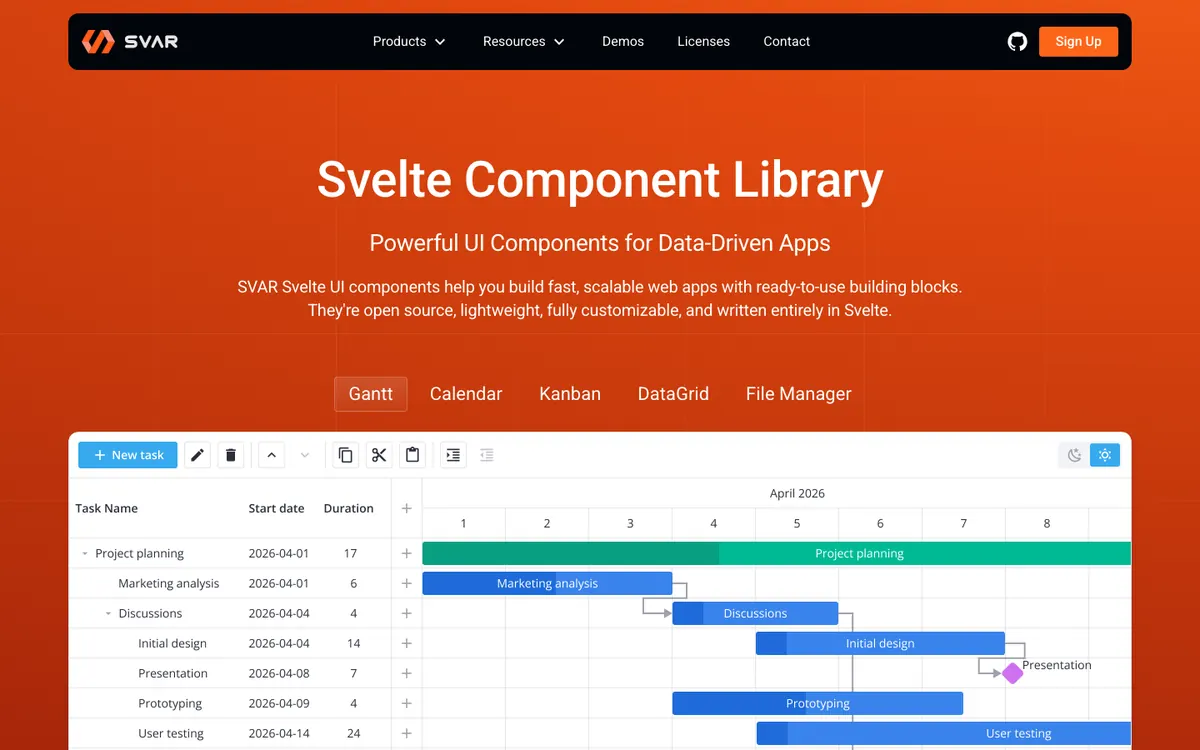
SVAR Core for Svelte fills a specific niche in the Svelte ecosystem: enterprise data widgets. While most Svelte UI libraries focus on general-purpose presentational components, SVAR provides the kind of complex, data-intensive widgets that business applications actually need — data grids, schedulers, calendar views, and rich form elements.
The data grid component is particularly noteworthy. It supports large datasets with virtualized scrolling, column sorting, filtering, inline editing, row selection, and header grouping. For teams building admin panels or data management interfaces, this alone can justify adopting SVAR over building a custom solution.
The scheduler and calendar components provide event management interfaces with drag-and-drop rescheduling, multiple view modes (day, week, month), and resource timeline views. These are the kinds of components that take months to build properly from scratch.
SVAR follows a freemium model. The core package includes essential UI components — buttons, inputs, forms, lists, and basic layout elements — available for free. The premium widgets (advanced grid features, schedulers, etc.) require a commercial license. Pricing is per-developer, which is standard for enterprise widget libraries.
The styling uses plain CSS with a clean, professional aesthetic. It won’t win design awards, but it looks appropriate in business contexts. Theming is supported through CSS custom properties, though the customization depth is more limited than what you get with Tailwind-based libraries.
One honest drawback is the community size. SVAR doesn’t have the open-source momentum of libraries like Skeleton or Flowbite Svelte. The documentation, while functional, lacks the polish and example density of community-driven projects.
SVAR makes sense for a specific use case: if you are building a Svelte application that needs serious data widgets and you want commercial support backing them. For general UI needs, open-source alternatives will serve you better.
What's Inside
Strengths
- Specialized data-heavy widgets (grids, calendars, schedulers)
- Free core covers essential components
- Professional support available with paid plans
- Well-suited for enterprise application needs
Weaknesses
- Smaller community compared to open-source alternatives
- Premium features require a paid license
- Documentation could be more thorough
- Less visual customization flexibility than Tailwind-based libraries
Best For
Enterprise applications needing complex data widgets like grids, schedulers, and calendars
Not Ideal For
Open-source enthusiasts or projects needing primarily presentational components