
Headless vs Styled: Choosing Your Svelte UI Approach
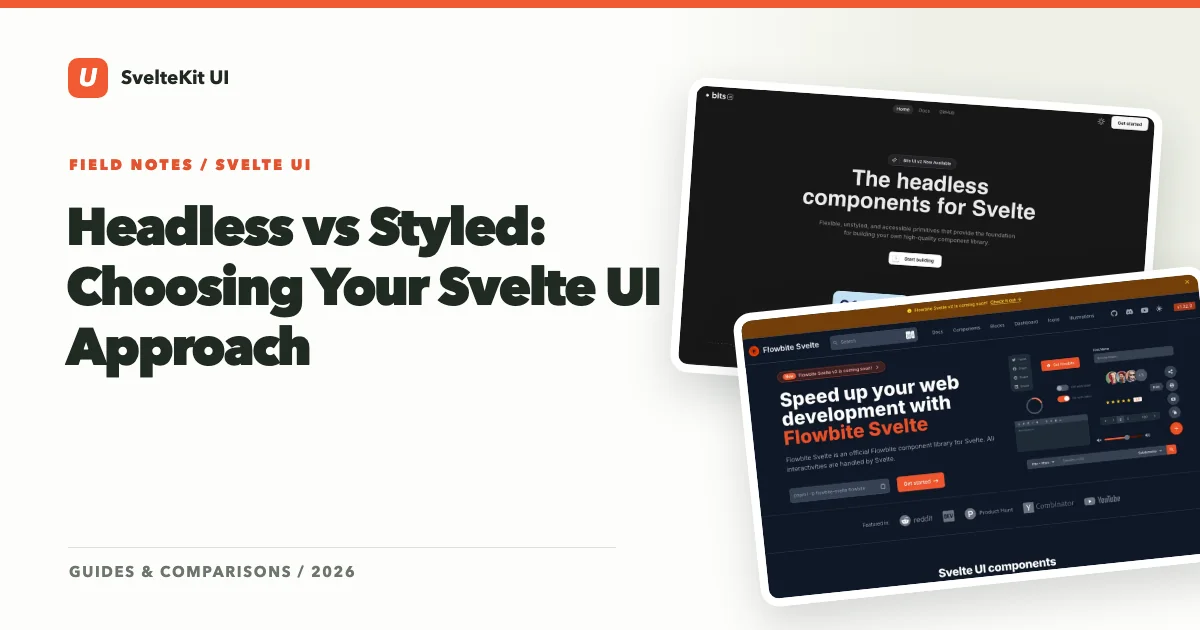
Every Svelte developer building a non-trivial interface faces the same fork in the road: do you start with a headless library that gives you raw behavior and total design freedom, or a styled library that ships ready-made visuals you can customize later?
This isn’t a minor architectural decision. It shapes your CSS strategy, your component API, how fast you ship v1, and how painful redesigns are two years from now. Let’s break it down honestly.
What “Headless” Actually Means
A headless (or unstyled, or primitive) UI library provides interactive behavior without any visual styling. You get focus management, keyboard navigation, ARIA attributes, open/close state, and all the accessibility plumbing that’s brutally hard to get right — but zero CSS. Not a single pixel of visual opinion.
In the Svelte ecosystem, the two most prominent headless libraries are:
- Bits UI — component-based primitives built natively for Svelte 5 with runes and snippets
- Melt UI — builder/action-based primitives that decorate your own HTML elements
When you use a headless dialog from Bits UI, you get a dialog that traps focus, responds to Escape, manages aria-expanded, and announces itself to screen readers. But it renders as unstyled DOM elements. You bring every class, every color, every shadow.
What “Styled” Actually Means
A styled library ships components that look good out of the box. You install it, import a Button or Dialog, and it renders with a complete visual design — colors, spacing, typography, transitions, dark mode, the works.
In the Svelte ecosystem, the major styled options include:
- shadcn-svelte — copy-paste components styled with Tailwind CSS, built on Bits UI primitives
- Skeleton — a traditional npm package with a rich theming engine and pre-built themes
- Flowbite Svelte — Tailwind-based components spanning both marketing and application UI
The key distinction: styled libraries have already made design decisions for you. Those decisions might be excellent, but they’re decisions nonetheless.
The Real Trade-offs
The headless-vs-styled debate often gets reduced to “flexibility vs speed.” That’s true, but it’s more nuanced than that slogan suggests.
Flexibility
Headless wins here, unambiguously. When you start with Bits UI or Melt UI, your design system is entirely yours. Rounded corners or sharp edges, neon gradients or muted earth tones, dense information layouts or spacious editorial designs — nothing in the primitive layer pushes back against your choices.
With styled libraries, you’re working within a design language. shadcn-svelte is generous about letting you modify its code (you literally own the files), but the starting point is still a specific aesthetic. Skeleton gives you theme switching, but those themes are bounded by the token system the library defines.
The flexibility gap matters most when: you have a dedicated design team with a custom design system, you’re building a product where visual identity is a competitive differentiator, or you need to white-label the same application across clients with radically different brand guidelines.
Speed to Ship
Styled libraries win here, unambiguously. Import a component, use it, move on. You can have a professional-looking dashboard in a weekend with Skeleton or shadcn-svelte. Try that with raw Bits UI primitives and you’ll spend the weekend writing CSS instead of building features.
This isn’t a trivial advantage. Shipping matters. Revenue comes from working software, not from perfectly structured component architectures. If you’re a solo developer or a small team racing to validate an idea, the speed advantage of styled libraries is worth more than theoretical flexibility you may never need.
The speed advantage matters most when: you’re prototyping, building an internal tool, working without a designer, or operating under tight deadlines.
Maintenance and Long-Term Cost
This is where the conversation gets interesting.
Headless libraries are cheaper to maintain in the long run if your design evolves significantly. Because styling is entirely your responsibility, a redesign means changing your CSS — the behavioral layer stays untouched. Your dialogs still trap focus correctly. Your dropdowns still handle keyboard navigation. You never fight the library during a visual overhaul.
Styled libraries can be cheaper to maintain if your design stays close to the library’s defaults. Updates from upstream bring bug fixes, new components, and accessibility improvements that flow into your project through a simple version bump. But if you’ve heavily customized the styling, updates become merge conflicts. And if you’ve ejected or patched component internals, you’re maintaining a fork whether you call it one or not.
Accessibility
Both approaches can be equally accessible, but they fail differently.
Headless libraries guarantee that the behavioral layer is accessible. You can’t accidentally break focus trapping in a Bits UI dialog because you don’t control that code. But you can fail to provide sufficient color contrast, visible focus indicators, or logical heading structure in your custom styles.
Styled libraries typically ship with accessible defaults — both the behavior and the visual presentation meet baseline standards. But if you override styles aggressively, you might inadvertently remove focus rings, reduce contrast, or break visual hierarchy.
Bottom line: accessibility is never fully automated regardless of which approach you choose. You still need to test with screen readers and keyboards.
The Hybrid Path (and Why It’s Popular)
Here’s the thing most architectural debates miss: you don’t have to choose one or the other exclusively.
The most popular pattern in the Svelte ecosystem right now is the layered approach:
- Bits UI provides the accessible primitive layer
- shadcn-svelte provides styled defaults on top of those primitives
- You customize the styled components or drop down to the primitive layer when needed
This gives you styled components for 80% of your UI (fast shipping) and raw primitives for the 20% that needs custom behavior or design (full flexibility). It’s the pragmatic middle ground, and it’s why shadcn-svelte has become the default recommendation for new Svelte 5 projects.
Decision Framework
Here’s a direct framework for choosing:
Start with headless primitives (Bits UI or Melt UI) when:
- You have a custom design system with specific visual requirements
- Your team includes designers who produce detailed component specs
- You’re building a design system that other teams will consume
- Visual differentiation from competitors is a product priority
- You enjoy writing CSS and consider it a strength
Start with a styled library (shadcn-svelte, Skeleton) when:
- You need to ship quickly with professional results
- Your project doesn’t require a unique visual identity (yet)
- You’re a developer-designer who wants good defaults to refine
- You’re building internal tools, admin panels, or MVPs
- You prefer spending time on features rather than visual polish
Start with the hybrid approach when:
- You want fast defaults but know you’ll need custom components later
- You’re building a SaaS product that needs to look polished now and unique eventually
- Your team has mixed skill sets — some designers, some pure developers
What We Recommend
For most Svelte developers in 2026, the hybrid approach centered on shadcn-svelte and Bits UI is the best default. You get speed, flexibility, and a clean upgrade path. Start styled, customize where needed, drop down to primitives for anything truly custom.
But if you’re building a design system from scratch, or if your design language is radically different from anything off-the-shelf, going headless-first with Bits UI is absolutely the right call. The upfront investment in styling pays dividends every time you add a new component that fits your system perfectly.
Use our comparison tool to see how specific headless and styled libraries stack up, or explore the full directory by category: primitive libraries and component libraries.